
Social media, in one control room

One post, all your networks.

OLOsocial publishes your posts on more than 20 networks at the time you choose. You write it once, adapt it network by network and put it on the calendar. Then you see what worked.
22 networks
Inside your WordPress
Included with OLObuild Pro
A post scheduled for Tuesday at 9:30 going out together on Facebook, Instagram, LinkedIn, Threads, YouTube and Telegram
22
Networks to connect
3
Calendar views
0
Personal data in short links
€0
With OLObuild Pro

What it does

From the first line to the last click.

Write, schedule, publish and measure from the same panel, inside your WordPress.

Out everywhere, together

At the time you choose, the post goes out on every network within a few seconds: OLOsocial prepares it in advance.

One text, many versions

The shared text and a version for each network, with the limits on characters, photos and hashtags checked before you schedule.

Photos and videos that fit

Photos take the right shape for each network. Videos go out on YouTube and Vimeo, as Reels on Instagram and in Facebook and LinkedIn posts.

The calendar

Week, month and year. Move a post by dragging it to another day, duplicate it with one click.

Groups, in order

For Facebook and LinkedIn groups it copies the ready text and opens the group. You mark how it went.

Statistics and short links

Followers, interactions, the clicks on your links and the days and hours when your posts do best.

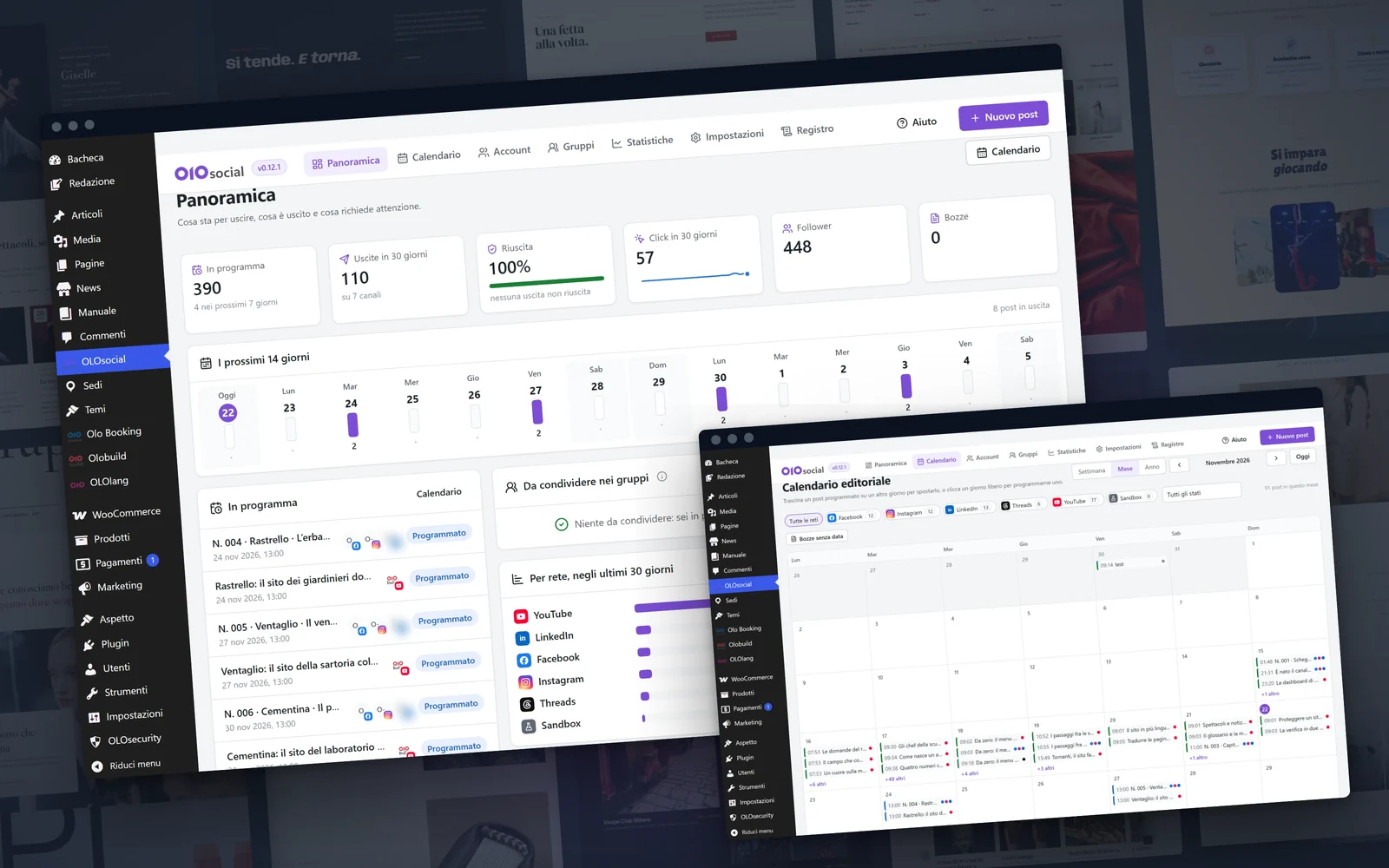
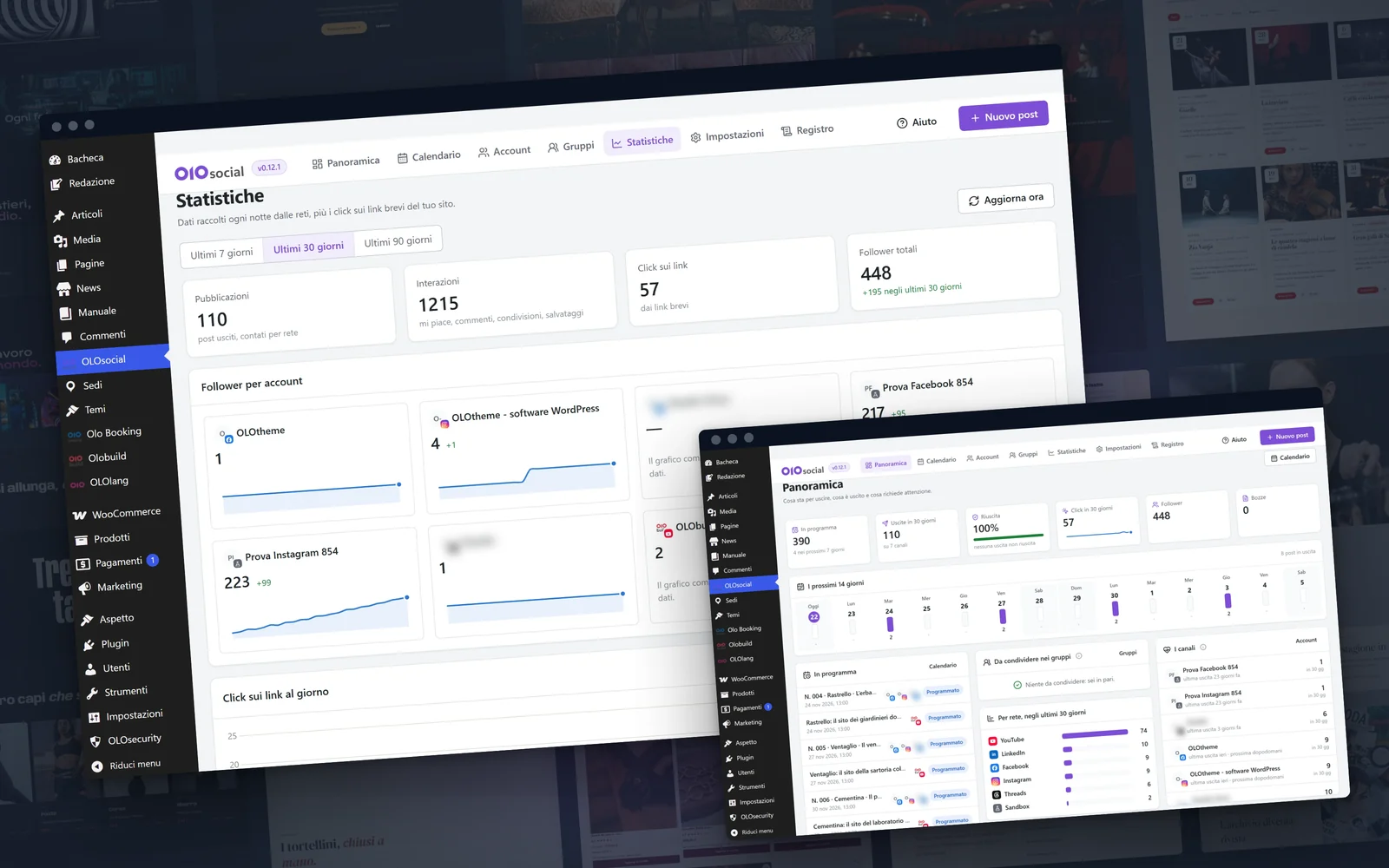
The overview

What is going out, what went out, what is missing.

As soon as you open OLOsocial you see the next fourteen days, the scheduled posts, the networks you use most and your channels, each with its latest post.

The Composer

Write once, out everywhere.

Write the shared text and change it only where needed: shorter for X, with hashtags for Instagram, more formal for LinkedIn. As you type you see each network’s limits, and the post can be scheduled only when it fits everywhere.
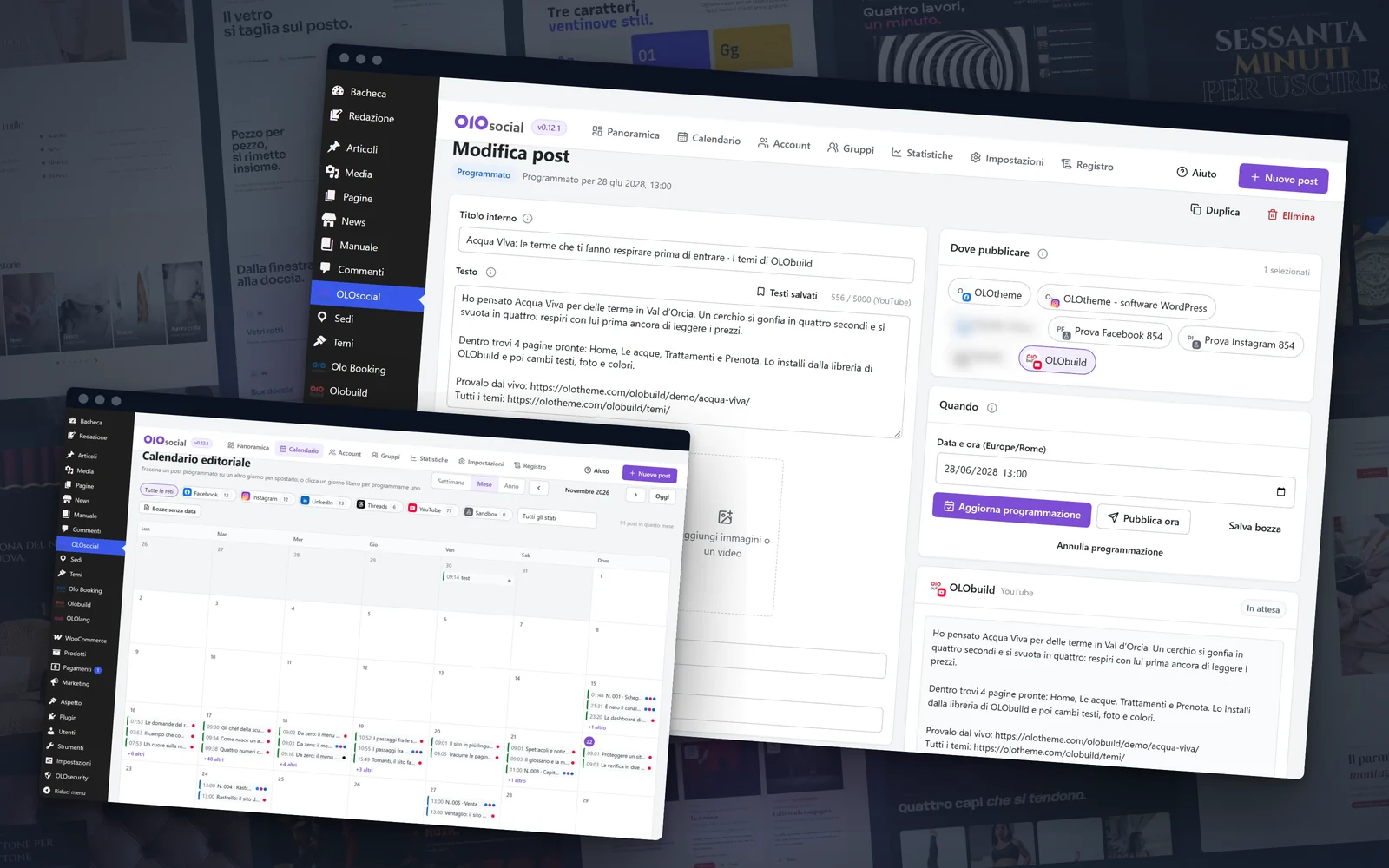
The shared text and a version for each network
Photos cropped and lightened for each network, automatically
{link} puts the link where you write it, with your website’s short links
Hashtag sets and phrases you use often, added with one click
The Composer: the shared text, the Facebook, Instagram and LinkedIn tabs with the characters counted, the photo and the publishing time
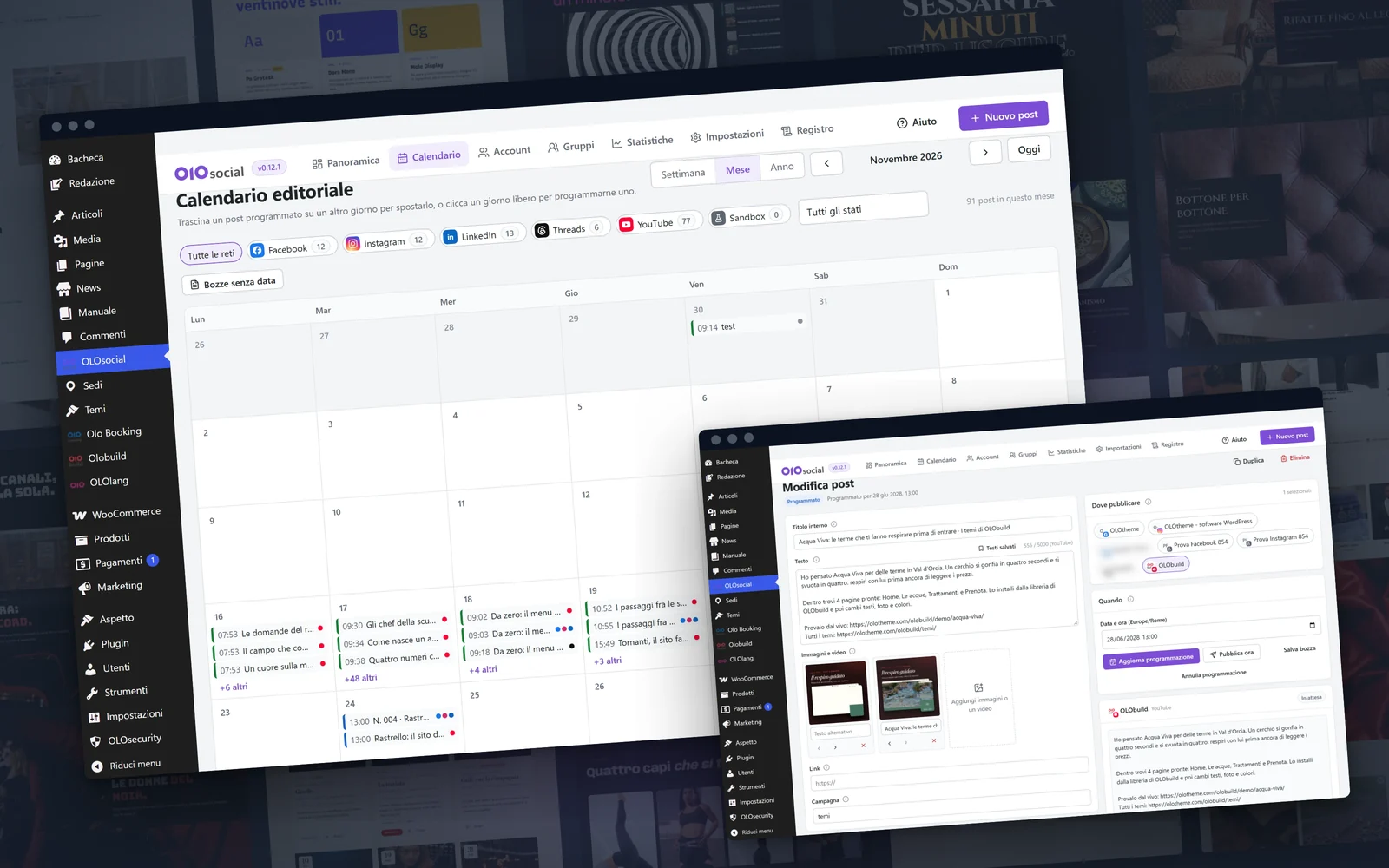
The month calendar with each day’s posts, the network logos and a post being dragged to another day

The calendar

Your month of posts, at a glance.

Week, month or year, with filters by network and by status. Drag a scheduled post to another day and it keeps its time. “Duplicate” makes a draft copy with the same accounts and the same texts.

Three views: week, month and year
Drag a post to another day
Filters by network and by status
The day panel with everything going out

Facebook and LinkedIn groups

In groups, without losing track.

In Facebook and LinkedIn groups you post by hand. OLOsocial keeps the list of the groups you’re in, with their rules: for each post it copies the ready text and opens the group, you paste and mark how it went.
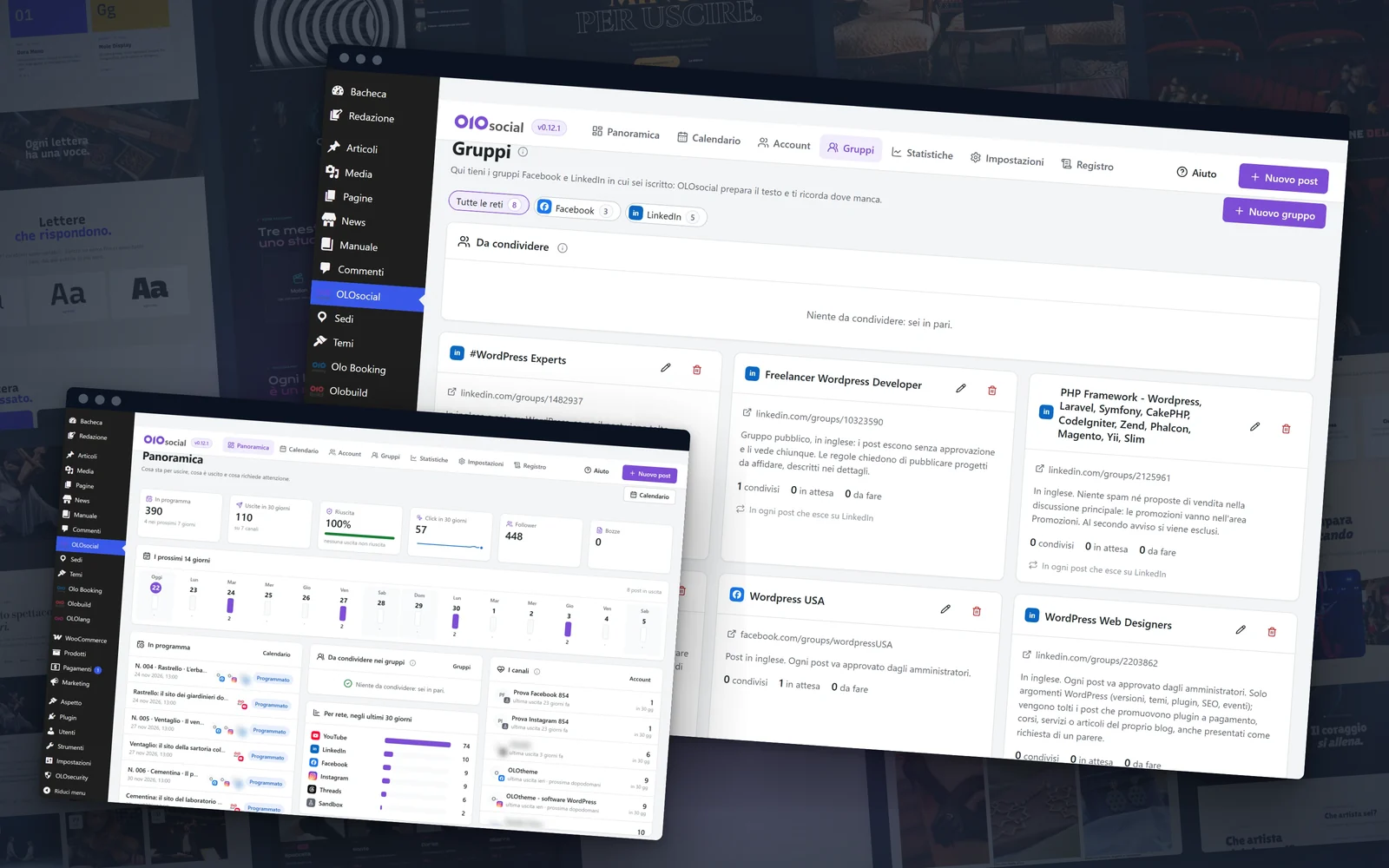
“Copy and open”: the right text, with the link at the end
Shared, awaiting approval or rejected
Groups that join every post on their own
The reminder in the menu, the Overview and the calendar
The Groups page with the Facebook and LinkedIn groups, the “Copy and open” button and the status of each share
The Overview with the month’s numbers, the clicks on short links and the grid of days and hours when posts work best

Statistics

What works, and when.

The Overview brings together the numbers that matter: what goes out in the next 14 days, the channels with their last and next post, the pace of the last 12 weeks. In the statistics you see followers, interactions and clicks, and the day and time when your posts work best.

Followers and post interactions, network by network
Clicks on short links, without personal data
“When your posts work best”, said in one sentence
An email if a post doesn’t go out or an account needs reconnecting

The networks

22 networks, one panel.

Connect the ones you use, each with its own step-by-step guide.

Social

They connect with the platform’s own login.

Facebook · Instagram · Threads · LinkedIn · X · Pinterest · Google Business Profile · Tumblr · Reddit

Video

The post title becomes the video title.

YouTube · Vimeo

Channels and chats

They connect in two minutes, with no apps or approvals.

Telegram · Viber · Discord · Slack · Microsoft Teams · Google Chat

Fediverse and open networks

Free, decentralised social networks, with no approvals.

Bluesky · Mastodon · Pixelfed · Misskey · Lemmy

For real

The calendar of our own channels.

This is a real month at OLObuild: videos, guides and themes on YouTube, Facebook, Instagram, LinkedIn and Threads, all scheduled from here.

With OLObuild

Born inside your website.

OLOsocial is part of OLObuild. An article from the Editorial desk, a news item or an event becomes a post without copying anything: title, summary, photo and link come from the content.
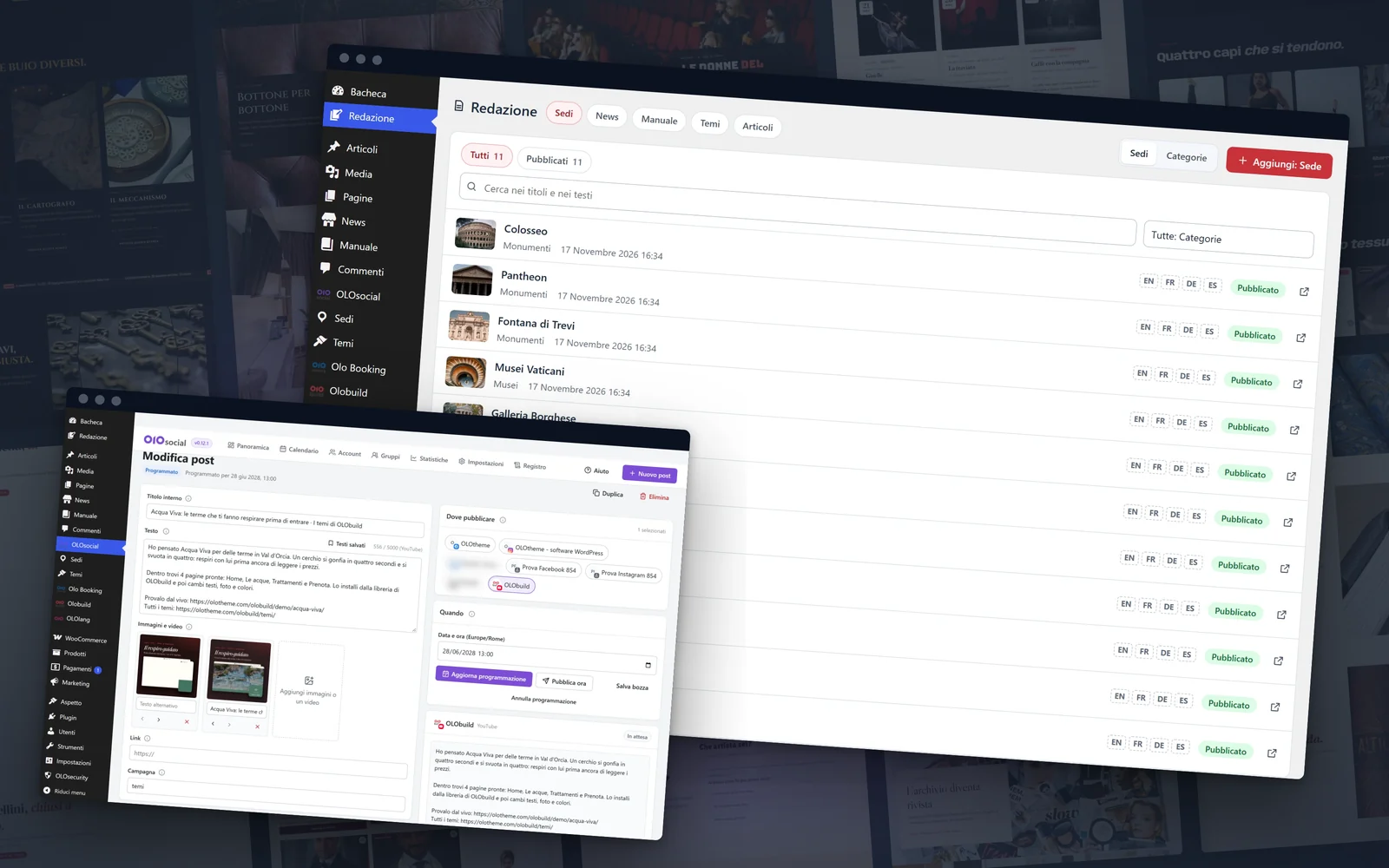
The Social section of the Editorial desk: choose there which networks it goes out on
The Social box on every content’s edit screen, with texts and photos per network
The content’s Video field goes out on YouTube, even into a playlist
If you like, when you publish a piece of content the post is already waiting as a draft
An article in the OLObuild Editorial desk with the Social section: the chosen networks, the text per network and the publishing time

Prices

Included in OLObuild Pro.

OLOsocial isn’t sold separately: it comes free with OLObuild Pro, together with OLOlang. The free edition of OLObuild doesn’t include it.

OLObuild Pro

€39

a year at launch, then €69

OLOsocial for free
OLOlang included free
100 extra, fully loaded themes
The Editorial desk and OLOsecurity
30-day refund

Questions

What people ask us most often.

  • No: it comes free with OLObuild Pro, together with OLOlang. The free edition of OLObuild doesn’t include it.
  • On 22: Facebook, Instagram, Threads, LinkedIn, X, Pinterest, Google Business Profile, Tumblr, Reddit, YouTube, Vimeo, Telegram, Viber, Discord, Slack, Microsoft Teams, Google Chat, Bluesky, Mastodon, Pixelfed, Misskey and Lemmy.
  • There you post by hand, because Facebook and LinkedIn don’t let apps into groups. OLOsocial prepares the text, opens the group and keeps track of where you’ve already shared it.
  • No. Every network has its own step-by-step guide, and next to every setting there’s an (i) that explains what it’s for.
  • In your WordPress. The connections to the networks are encrypted in your website’s database, and short links count clicks without collecting personal data.
  • When a network asks you to wait, OLOsocial tries again on its own. If a post doesn’t go out, you get an email with the reason, and “Retry” sends it again with one click.

With OLObuild Pro

Your social media, under control.

OLOsocial is included in OLObuild Pro, together with OLOlang and all the tiles.